WorkoutGPX
Your workouts are in Apple Health. Get them out as GPX.
Every run, ride, hike and walk your Apple Watch records is in Apple Health with its GPS route, and Health has no way to hand you one as a file. WorkoutGPX does. Pick a workout, or your whole history, and each becomes a standard GPX file with the route, the timestamps and the heart rate, cadence and power your watch recorded, ready for Strava, Garmin Connect, Komoot, Google Earth or a folder of your own.
iPad, iPhone
Free. No account. Nothing leaves your iPhone.
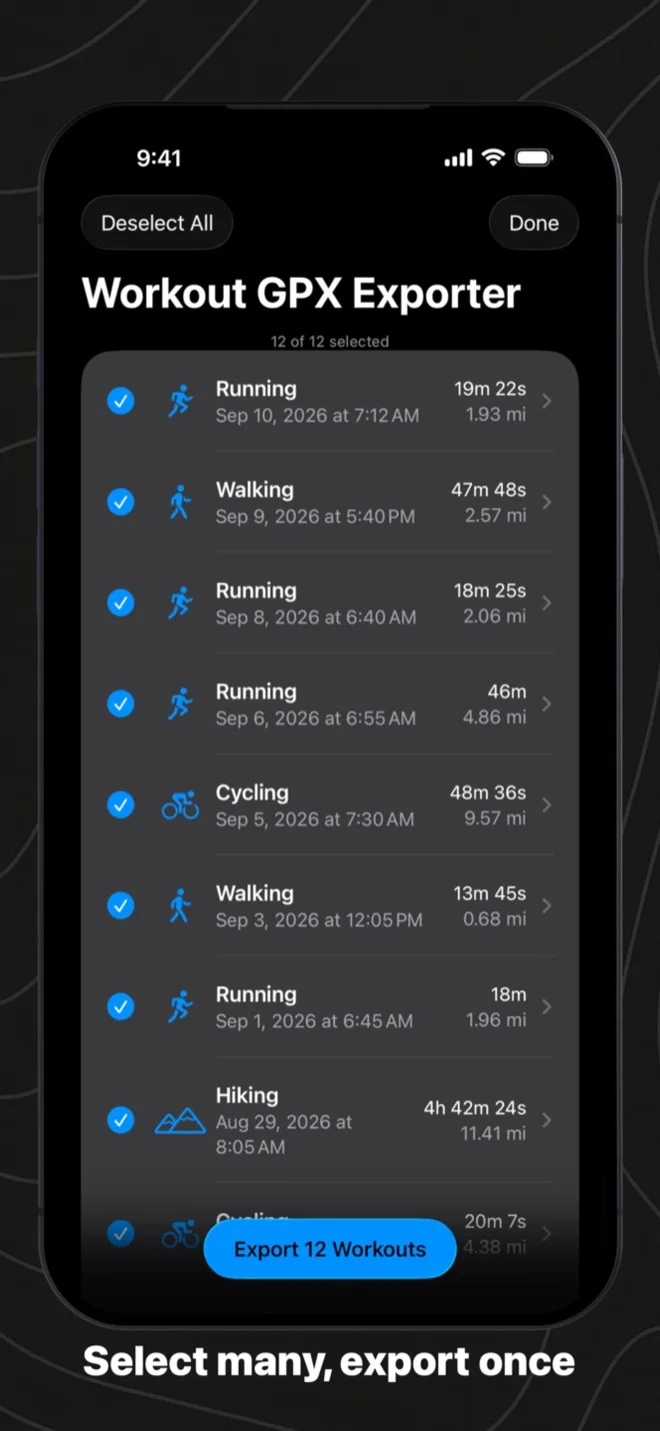
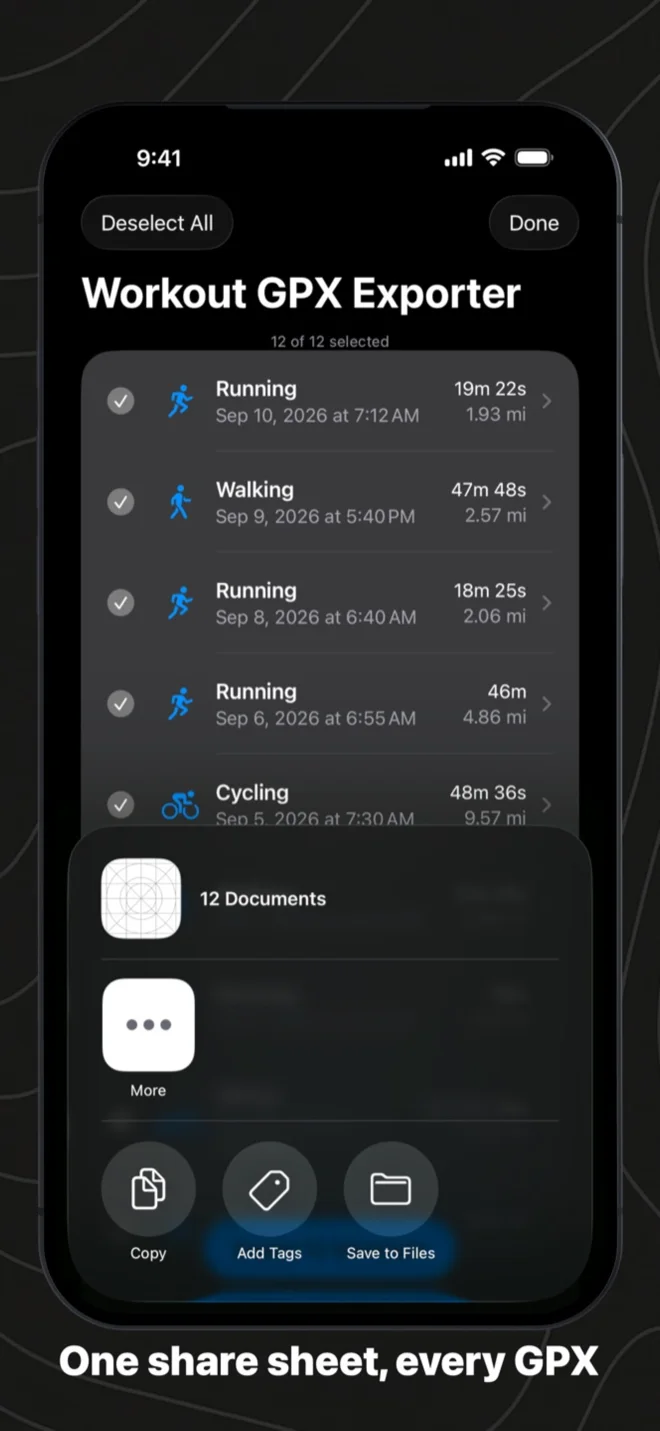
Export many at once
Tap Select, tick the workouts you want, or Select All for everything under the current filter, then Export. The app fetches each workout’s route and sensors in turn, with a progress card you can cancel, and opens one share sheet with a GPX file per workout. A two-week trip goes to Files, AirDrop or Mail in one go. Workouts without GPS are skipped and listed before the sheet opens, never silently dropped.
Every workout Health has, back to the first
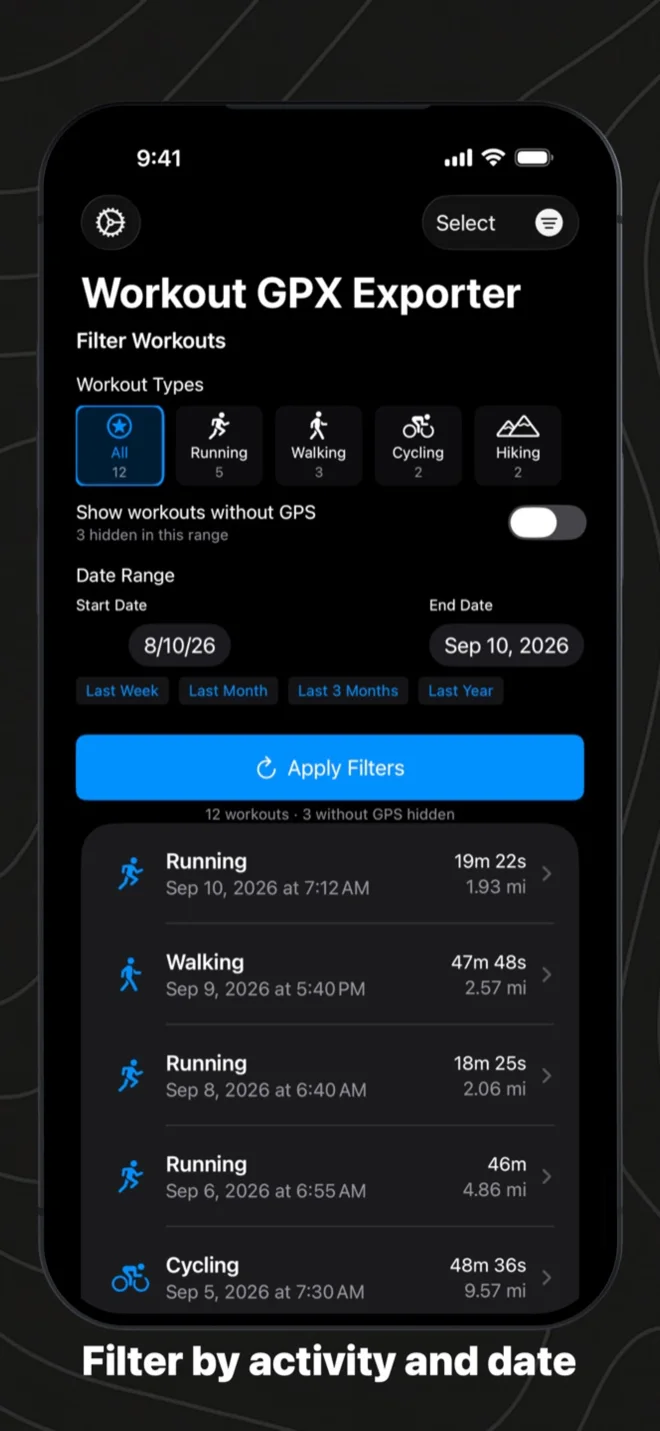
There is no limit and no cut-off date: the list goes as far back as your data does. Running, walking, hiking, cycling, swimming, skiing, rowing and any other activity with a GPS route are all there, with a count per type. Narrow it by activity and by date, with presets for the last week, month, three months or year, and the filter stays put while you export, so “hiking, last September” is one tap and one share sheet. Workouts without a route, an indoor ride or a strength session, are tucked away so the list shows only what can become a track.
What is in the file
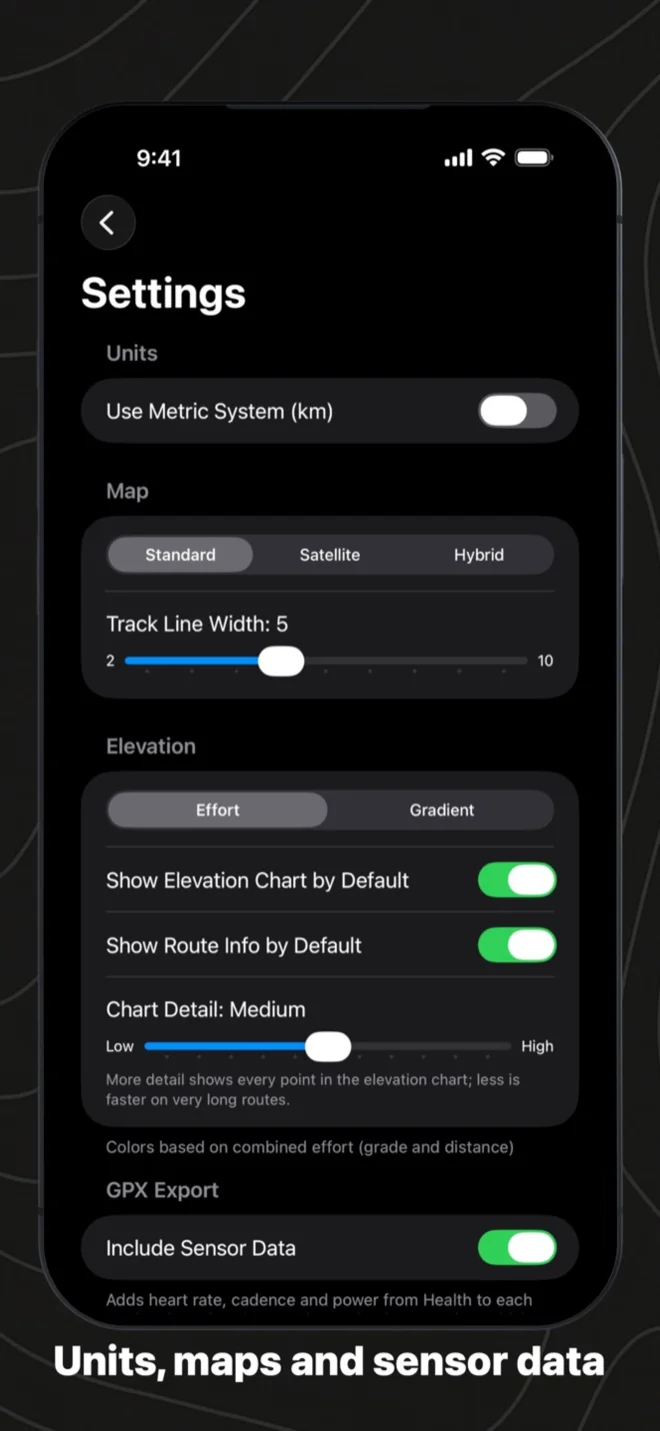
A GPX file other apps read as a workout, not just a line. Every track point carries its timestamp, coordinates and elevation, and, when the watch recorded them, heart rate, cadence, power, speed and course, written in the Garmin extensions that Strava, Garmin Connect and GPX viewers already understand. The file’s description carries the workout’s own summary from Health: distance, duration, energy, elevation gain, average heart rate. Sensor data can be switched off in Settings if you only want the route. Each workout is its own file, not a zip, because that is what the fitness services want and what Files and AirDrop take without complaint.
See the route before you export it
Open any workout and the route is on the map, coloured by effort, by grade or by elevation, with the peaks and valleys marked and the numbers in a card: distance, start and end, elevation minimum, maximum and gain. Scrub the elevation profile and a marker follows along the track. Standard, satellite and hybrid maps, metric or imperial, your line width.
On iPad
The same app on the larger screen: the list, the filters, the route and the export. Select across a season on the iPad and share the files to a folder in one go.
Then open it in GPX Explore
The file WorkoutGPX writes is the file GPX Explore reads: open it on the Mac, iPhone or iPad and the heart rate charts under the map, the climb is coloured on the track, and the moving time, pace and splits are worked out. Health to GPX, GPX to a map. Both free.

Yours stays yours
WorkoutGPX reads Apple Health and never writes to it. It has no servers, no account and no network access at all; your health data leaves the phone only when you share a file, and only as that file. The code is open source under the MIT licence at github.com/gavi/WorkoutGPX. The app is available in English, German, French, Spanish and Japanese, on iPhone and iPad with iOS 18.2 or later.
Questions people ask
How do I export an Apple Watch workout as a GPX file? Install WorkoutGPX, allow it to read workouts and routes from Health, tap the workout and share. It lands in the share sheet as a .gpx file: save it to Files, AirDrop it to a Mac, or send it to another app. The steps with pictures are in How to export Apple Watch workouts as GPX.
Does the GPX include heart rate, power and cadence? Yes, whenever the watch recorded them, on every point, in the Garmin extensions that Strava, Garmin Connect and GPX viewers read as sensors. How to see heart rate and power from a GPX file shows what that looks like.
Can I export my whole history at once? Yes. Set a filter or none, tap Select, then Select All, then Export. One share sheet carries a file per workout, and workouts without a route are listed rather than dropped.
Will Strava, Garmin Connect or Komoot open it? They do: the file is standard GPX 1.1 with the extensions those services write themselves. Each service takes one GPX per workout, which is why the export is files rather than a zip.
Why is a workout missing from the list? It has no GPS route, so it cannot become a track: an indoor ride, a strength session, a pool swim. Switch on Show workouts without GPS in the filters to see them listed.
Do I need an Apple Watch? No. WorkoutGPX exports any workout in Apple Health that has a GPS route, whether the Watch recorded it or another app saved it to Health.
How do I open the GPX on a Mac? With GPX Explore from the Mac App Store; How to open a GPX file on a Mac covers the other ways and how to make one app the default.
Is it free? Yes, with no in-app purchases and no account, and the code is open source.
What changed lately? Read the WorkoutGPX 1.5 release post.